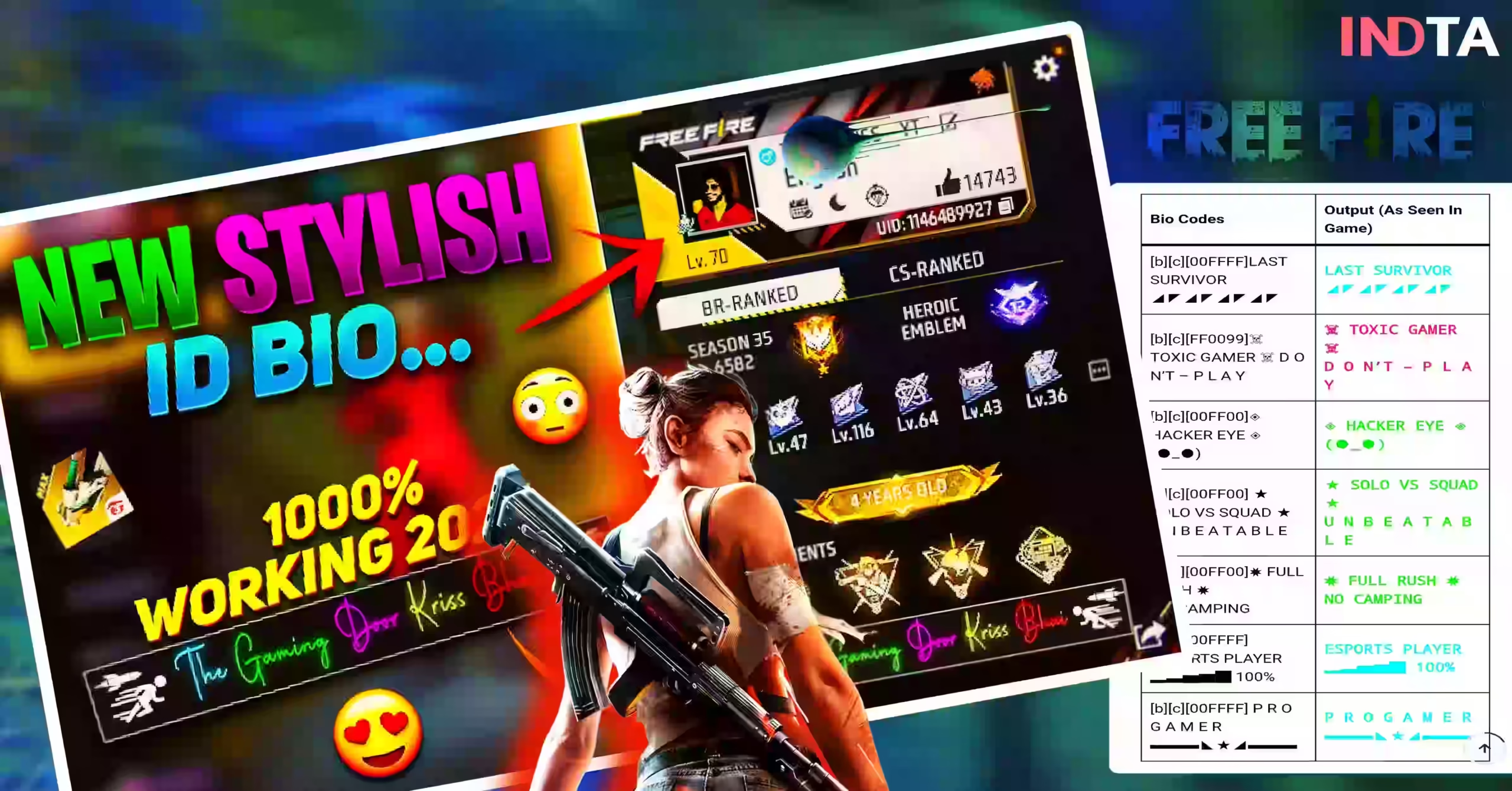


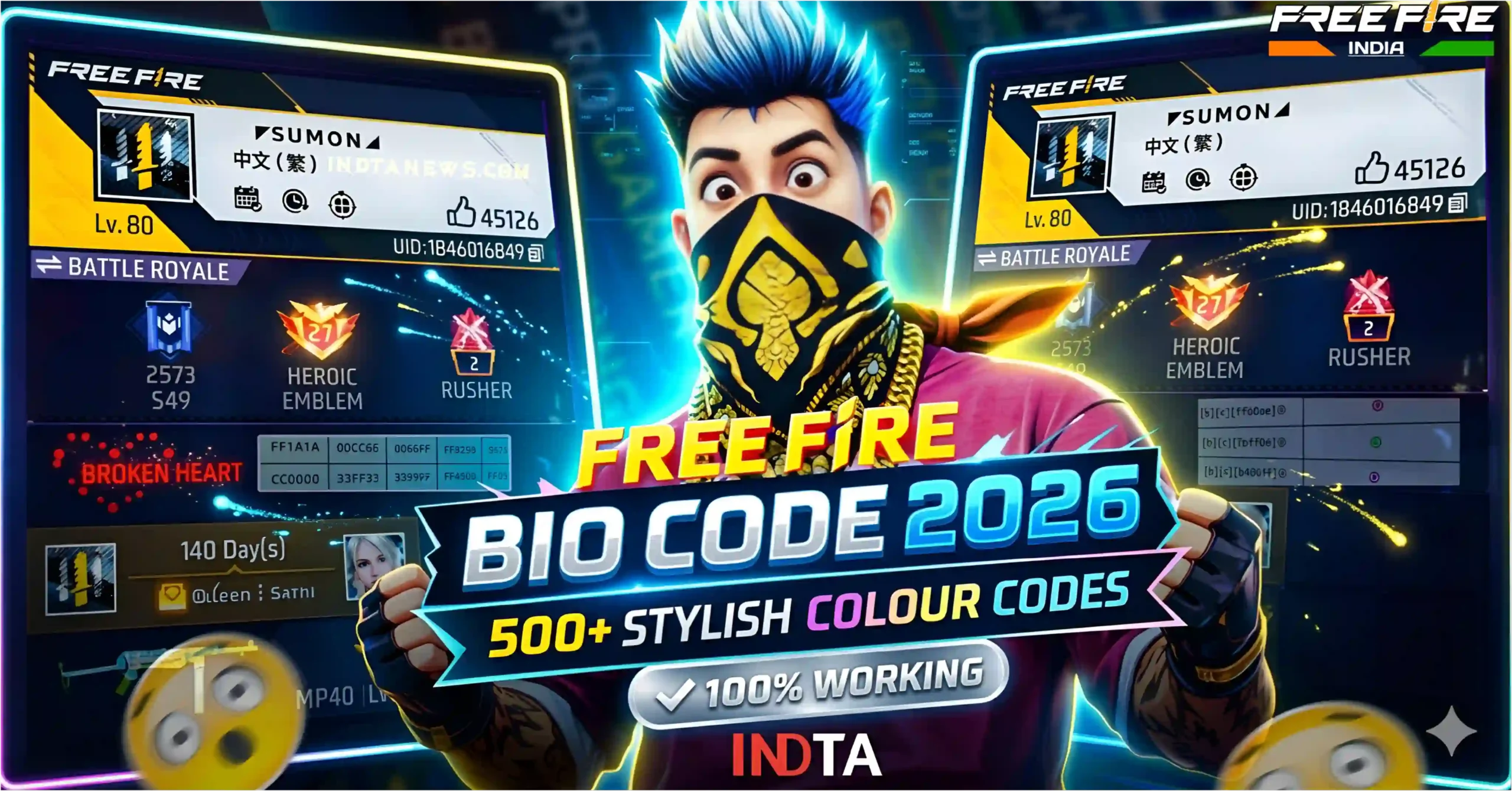
Garena Free Fire is not just a battle royale game; it has become a great way for players to express their style and personality. It is very important to make your in-game profile stand out among the millions of active players. The best way to do this is by using Free Fire Bio Colour Codes. It is almost impossible to attract the attention of other players with a simple and plain profile bio. But if you use the latest and trending colour codes, your Free Fire profile will get a premium and professional look instantly.
In the year 2026, gamers are constantly trying to decorate their profiles in new and unique ways. The correct use of colours to create a stylish Free Fire bio has become a huge trend among gamers. If you want your friends or other members of the squad to be amazed by your profile, then this copy & paste guide is made for you. In this article, we will share with you the best Free Fire Bio Colour Code List, using which you can easily change the colour of the bio text of your profile.
What Are Free Fire Bio Colour Codes
Free Fire Bio Colour Codes are basically HTML (hexadecimal) codes, which are used to change the colour of the text in the Signature or Bio section of the gaming profile. These codes are usually composed of six letters or numbers and are written in third brackets.
When a player saves a profile by placing these codes in front of their bio text, the game’s system reads the code and converts the normal text to that particular colour.
Professional gamers and content creators use their Free Fire Profile Colour Codes to colourize their guild name, YouTube channel name, or any favourite dialogue. It not only enhances the beauty of the profile but also presents you as an experienced and stylish gamer.
If you look for ways to make the best FF bio on the Internet, you will see how important the use of colour is. By following this Free Fire Bio Colour Guide, you can easily colour the normal white text into red, blue, green, yellow, or any rare colour of your choice.
Don’t Miss

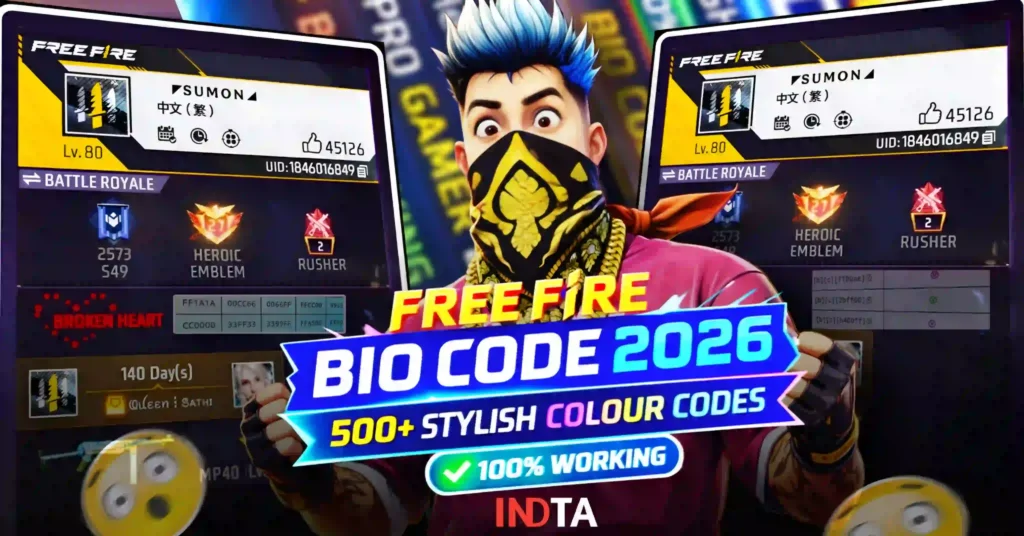
Complete Free Fire Bio Colour Code, list
Below is a detailed list of different colours to make your gaming profile attractive. You can copy and paste the colour of your choice into your game directly from here.
Rare Free Fire Bio Colour Codes
| Colour Name | Hex Code | Visual Preview |
|---|---|---|
| Red | [FF0000] | [Text] |
| Blue | [0000FF] | [Text] |
| Yellow | [FFFF00] | [Text] |
| Green | [00FF00] | [Text] |
| Pink / Magenta | [FF00FF] | [Text] |
| Purple | [800080] | [Text] |
| Orange | [FFA500] | [Text] |
| Sky | [00FFFF] | [Text] |
| Black | [000000] | [Text] |
| White | [FFFFFF] | [Text] |
| Grey | [808080] | [Text] |
| Brown | [A52A2A] | [Text] |
| Gold | [FFD700] | [Text] |
| Silver | [C0C0C0] | [Text] |
| Navy Blue | [000080] | [Text] |
| Teal | [008080] | [Text] |
| Maroon | [800000] | [Text] |
| Lime Green | [32CD32] | [Text] |
| Orange Red | [FF4500] | [Text] |
| Dark Violet | [9400D3] | [Text] |
| Deep Pink | [FF1493] | [Text] |
| Deep Sky Blue | [00BFFF] | [Text] |
| Crimson | [DC143C] | [Text] |
| Chartreuse | [7FFF00] | [Text] |
| Hot Pink | [FF69B4] | [Text] |
Free Fire Red Colour Codes
| Colour Name | Hex Code | Visual Preview |
|---|---|---|
| Red | [FF0000] | [Text] |
| Red | [FF1111] | [Text] |
| Red | [CC0000] | [Text] |
| Red | [AA0000] | [Text] |
| Red | [990000] | [Text] |
| Red | [FF3333] | [Text] |
| Red | [FF4D4D] | [Text] |
| Red | [FF6666] | [Text] |
| Red | [FF1A1A] | [Text] |
| Red | [E60000] | [Text] |
| Red | [D90000] | [Text] |
| Red | [B30000] | [Text] |
| Red | [800000] | [Text] |
| Red | [660000] | [Text] |
| Red | [FF5050] | [Text] |
Free Fire Blue Colour Codes
| Colour Name | Hex Code | Visual Preview |
|---|---|---|
| Blue | [0000FF] | [Text] |
| Blue | [0033FF] | [Text] |
| Blue | [0066FF] | [Text] |
| Blue | [0099FF] | [Text] |
| Blue | [00BFFF] | [Text] |
| Blue | [1E90FF] | [Text] |
| Blue | [3399FF] | [Text] |
| Blue | [66B2FF] | [Text] |
| Blue | [3399CC] | [Text] |
| Blue | [0047AB] | [Text] |
| Blue | [0055FF] | [Text] |
| Blue | [3366FF] | [Text] |
| Blue | [6699FF] | [Text] |
| Blue | [7EC8E3] | [Text] |
| Blue | [87CEFA] | [Text] |
Also Read
- Trending Free Fire Instagram Style Bio Code 2026
- 100+ Free Fire Muslim Religious Bio Codes: Stylish Islamic FF Bios- Copy & Paste 2026
- Free Fire Attitude Bio Code: Stylish and colour FF Bios 2026
- Free Fire Gun Bio Codes : M1887, UMP, MP40, AK Style FF Bios
- Free Fire Bio Code 2026: 500+ Stylish Colour Codes [100% Working]
- Free Fire Bio Code: 50+ Latest Free Fire Bio Codes for a Sharp and Stylish Profile
Free Fire Green Colour Codes
| Colour Name | Hex Code | Visual Preview |
|---|---|---|
| Green | [00FF00] | [Text] |
| Green | [00CC00] | [Text] |
| Green | [009900] | [Text] |
| Green | [00FF66] | [Text] |
| Green | [00FF99] | [Text] |
| Green | [33FF33] | [Text] |
| Green | [66FF66] | [Text] |
| Green | [00E600] | [Text] |
| Green | [00B300] | [Text] |
| Green | [008000] | [Text] |
| Green | [66FF99] | [Text] |
| Green | [00FF80] | [Text] |
| Green | [33CC33] | [Text] |
| Green | [2ECC71] | [Text] |
| Green | [1ABC9C] | [Text] |
Free Fire Yellow Colour Codes
| Colour Name | Hex Code | Visual Preview |
|---|---|---|
| Yellow | [FFFF00] | [Text] |
| Yellow | [FFD700] | [Text] |
| Yellow | [FFEA00] | [Text] |
| Yellow | [FFEB3B] | [Text] |
| Yellow | [FFC107] | [Text] |
| Yellow | [FFD54F] | [Text] |
| Yellow | [FFCC00] | [Text] |
| Yellow | [FFB300] | [Text] |
| Yellow | [FFEE58] | [Text] |
| Yellow | [FFF176] | [Text] |
| Yellow | [FFDD00] | [Text] |
| Yellow | [FFF200] | [Text] |
| Yellow | [FFF44F] | [Text] |
| Yellow | [FFD966] | [Text] |
| Yellow | [FFEC8B] | [Text] |
Free Fire Pink Colour Codes
| Colour Name | Hex Code | Visual Preview |
|---|---|---|
| Pink | [FF1493] | [Text] |
| Pink | [FF69B4] | [Text] |
| Pink | [FF6EB4] | [Text] |
| Pink | [FF85C1] | [Text] |
| Pink | [FF99CC] | [Text] |
| Pink | [FF66CC] | [Text] |
| Pink | [FF00FF] | [Text] |
| Pink | [FF33FF] | [Text] |
| Pink | [FF77FF] | [Text] |
| Pink | [FFB6C1] | [Text] |
| Pink | [FF80AB] | [Text] |
| Pink | [F06292] | [Text] |
| Pink | [EC407A] | [Text] |
| Pink | [E91E63] | [Text] |
| Pink | [D81B60] | [Text] |
Where can I get regularly updated Bio Code?
join our official WhatsApp channel, to get the latest Free Fire bio codes, stylish attitude bio, and trending copy-paste designs! Stay tuned for new updates every day.
Regularly here Free Fire New Bio Codes and Redeem Code Updates are revealed for FF players.
Free Fire Purple Colour Codes
| Colour Name | Hex Code | Visual Preview |
|---|---|---|
| Purple | [8000FF] | [Text] |
| Purple | [9933FF] | [Text] |
| Purple | [AA00FF] | [Text] |
| Purple | [BB33FF] | [Text] |
| Purple | [CC66FF] | [Text] |
| Purple | [CC00FF] | [Text] |
| Purple | [9966CC] | [Text] |
| Purple | [7F00FF] | [Text] |
| Purple | [8E44AD] | [Text] |
| Purple | [9B59B6] | [Text] |
| Purple | [BA55D3] | [Text] |
| Purple | [DA70D6] | [Text] |
| Purple | [9400D3] | [Text] |
| Purple | [8A2BE2] | [Text] |
| Purple | [9370DB] | [Text] |
Free Fire Orange Colour Codes
| Colour Name | Hex Code | Visual Preview |
|---|---|---|
| Orange | [FF8C00] | [Text] |
| Orange | [FF7F00] | [Text] |
| Orange | [FF6600] | [Text] |
| Orange | [FF5500] | [Text] |
| Orange | [FF4500] | [Text] |
| Orange | [FF7043] | [Text] |
| Orange | [FF5722] | [Text] |
| Orange | [F4511E] | [Text] |
| Orange | [FF6F00] | [Text] |
| Orange | [FFA500] | [Text] |
Free Fire Stylish Colour Codes
| ❤️ Red Shades | 💚 Green Shades | 💙 Blue Shades | 💛Yellow/Orange | 💜 Purple & Pink |
|---|---|---|---|---|
[FF0000] | [00FF00] | [0000FF] | [FFFF00] | [8000FF] |
[FF1A1A] | [00CC66] | [0066FF] | [FFCC00] | [9933FF] |
[CC0000] | [33FF33] | [3399FF] | [FFA500] | [FF00FF] |
[990000] | [009933] | [00CCFF] | [FF9900] | [FF66CC] |
[FF3333] | [66FF66] | [0033CC] | [FFD700] | [CC33FF] |
Stylish Bio Colour Ideas for Free Fire Profiles
The use of different colour combinations and symbols can make your bio much more stylish than just using a single colour code.
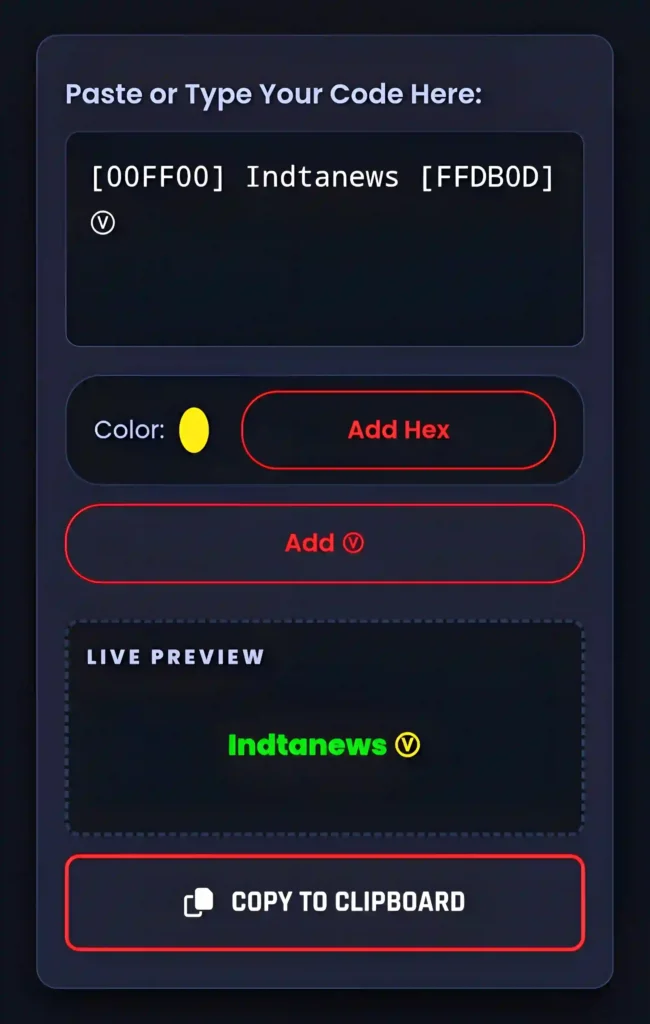
Gamers often use the V Badge symbol, Crown, or a variety of font styles to create a unique Free Fire Stylish Bio Colour.
For example, if you want to create a bio that matches the colours of your country’s flag, you can use multiple colour codes side by side.
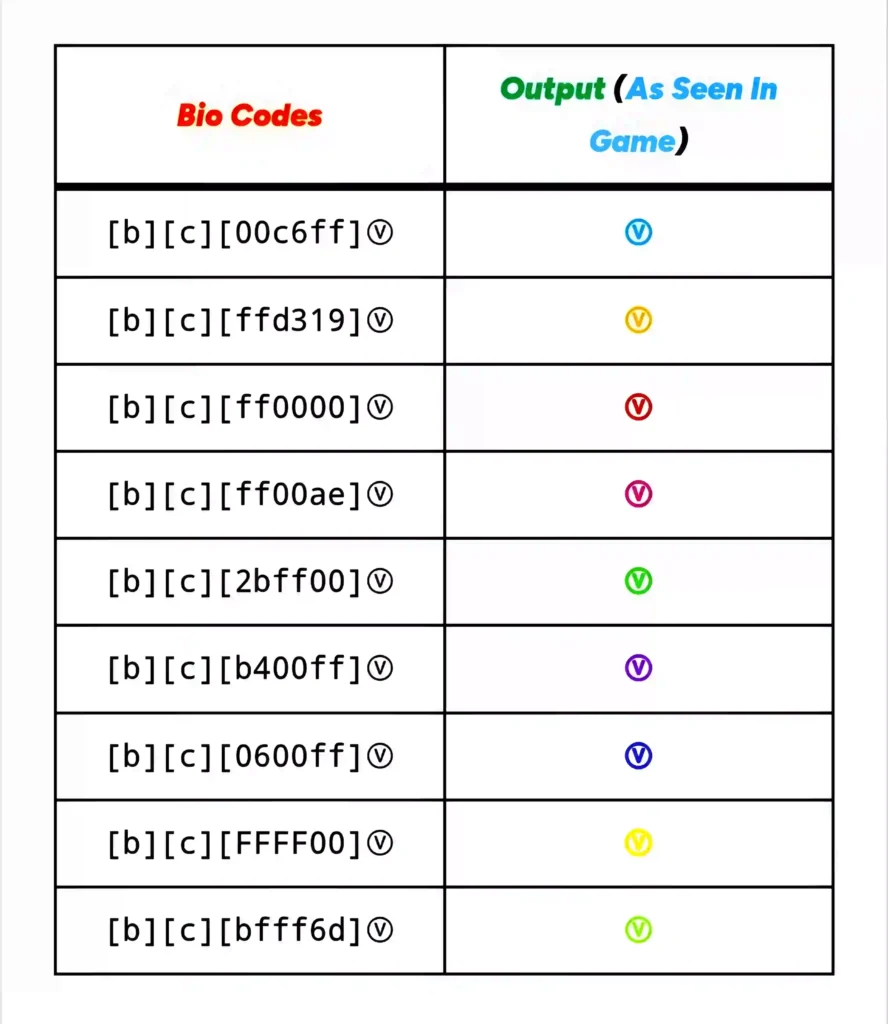
Also, it is possible to create a rainbow or neon effect by using different Colour Codes for each letter of your name or your squad name. Such creative designs are being widely appreciated in the current gaming community. If you share gameplay on YouTube or any other platform, it will be easily visible to the audience if you write your social media handle in bright gold or neon sky colour. According to the latest trends, the combination of bright yellow or neon green with a black background gives the profile an extremely premium look.
How to Use Free Fire Bio Colour Code
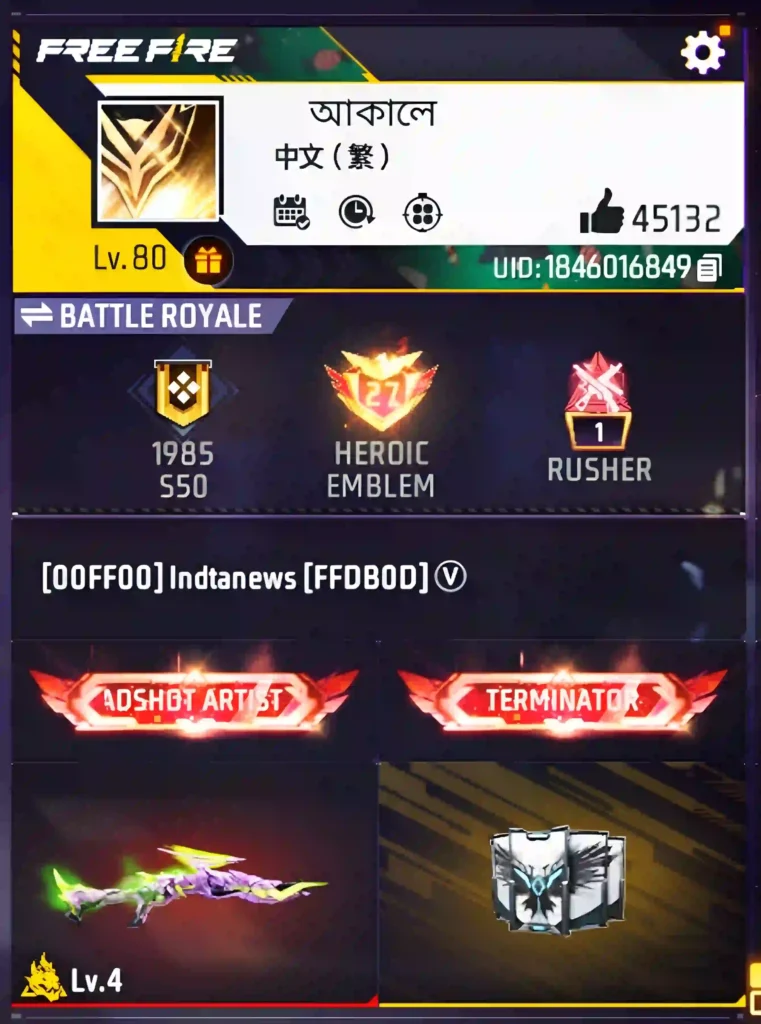
The process of adding these wonderful colour codes to your Free Fire bio is extremely simple, and anyone can do it in just a few seconds. First, open Garena Free Fire or Free Fire Max on your smartphone and enter the game’s lobby. Go to your main profile dashboard by clicking on your profile banner in the very top left corner of the lobby.
After entering the profile, you will see your current bio or signature, right next to which there is a small pencil or edit icon. Clicking on this edit icon will open a pop-up box where you can type in your new bio. Copy the colour code of your choice from our list with third brackets (e.g. [FF0000]) and paste it at the very beginning of the text box. After entering the code, type the text you want without any spaces. Finally, close and re-open the profile window by clicking on the Save button, and you will see that your general text is now glowing in colour.
Tips for Creating a Stylish Free Fire Bio
To create an excellent profile, it is not only enough to know the colour codes, but it is also very important to know their proper application.
First of all, always choose colours that create contrast with the default background of the game. Very dark colours are often not well understood on the screen, so it is wise to use bright and neon shades.
Secondly, don’t make your bio too long. A short, sharp and catchy line always attracts more attention. If you want, you can use the slogan of your favourite e-sports team or a famous quote related to gaming. In addition, you can make your text more unique by using the codes [b] for bold, [i] for italic, and [u] for underline with normal text. These small tricks will make your profile completely different from other ordinary gamers to meet the updated 2026 gameplay.
FAQs -Free Fire Bio Colour Code
Are Free Fire Bio Colour Codes Safe and Approved for Use?
Yes, these colour codes are completely safe to use and are within the rules of the Garena Free Fire game. They are basically simple HTML hex codes that support the game’s text formatting system. There is no chance of your account being banned or suspended for this.
Why isn’t my code working?
The main reason why the colour code is not working is because of mistakes while writing the code. Make sure that you have used the third bracket [ ] correctly before and after the code and have not added any extra spaces inside the code.
Can I use more than one colour in the same bio?
Of course you can. To use multiple colours, you just need to put a different colour code before each new word or line. For example: [FF0000] Red [0000FF] Blue will show the first word as red and the second word as blue.
What’s the best colour in the profile?
It all depends on your personal preference. However, usually bright colours such as neon green [00FF00], bright yellow [00FFF00], sky [00FFFF] and gold [FFD700] appear most vivid and attractive in the background of the game profile.
How do I add a font style (such as Bold or Italic) to the code?
If you want to change the text style along with the colour, you have to put the style code right after the colour code. For example, if you want to write bold in red, you need to write [FF0000] [b] as your text.
How to create a colourful bio in Free Fire?
First, use a colour code, then enter your bio text. If you want, you can create a stylish bio by using different colour codes on multiple lines.
What is the best way to style a Free Fire profile bio?
Usually, 2-3 good colour combinations, some stylish symbols, and small attitude lines can be used to create an attractive Free Fire bio.
What are the colour codes in Free Fire?
Yes, colour codes can be used in the bio or signature section of Free Fire, and many players use them to style their profiles.
What is the Free Fire bio colour code?
Free Fire bio colour codes are special types of hex colour codes that can be used to display the text of your Free Fire profile bio in different colours.
Conclusion
Creating a great Free Fire profile is every gamer’s dream. And the easiest and most effective way to fulfil this dream is to use the right Free Fire Bio Colour Codes. In this article, we have gathered the best and most stylish colour codes for you, which are completely copy-and-paste ready. Whether you like red, blue, gold, or any colour that is rare, this list will help you. Choose your favourite colour now, without further delay, go to the game profile and turn your simple bio into a masterpiece. Experiment with the latest trending FF bio colour codes and create a bio that will make your Free Fire profile stand out.
Our Standard: Check